
Create the rental, not just the listing: inside RentSeekr’s property workflow
RentSeekr turns an address, a set of facts and a few photos into a structured rental record—so whole homes, rooms, privacy, AI assistance and public listing choices stay connected from the first draft.
Start with the shape of the rental
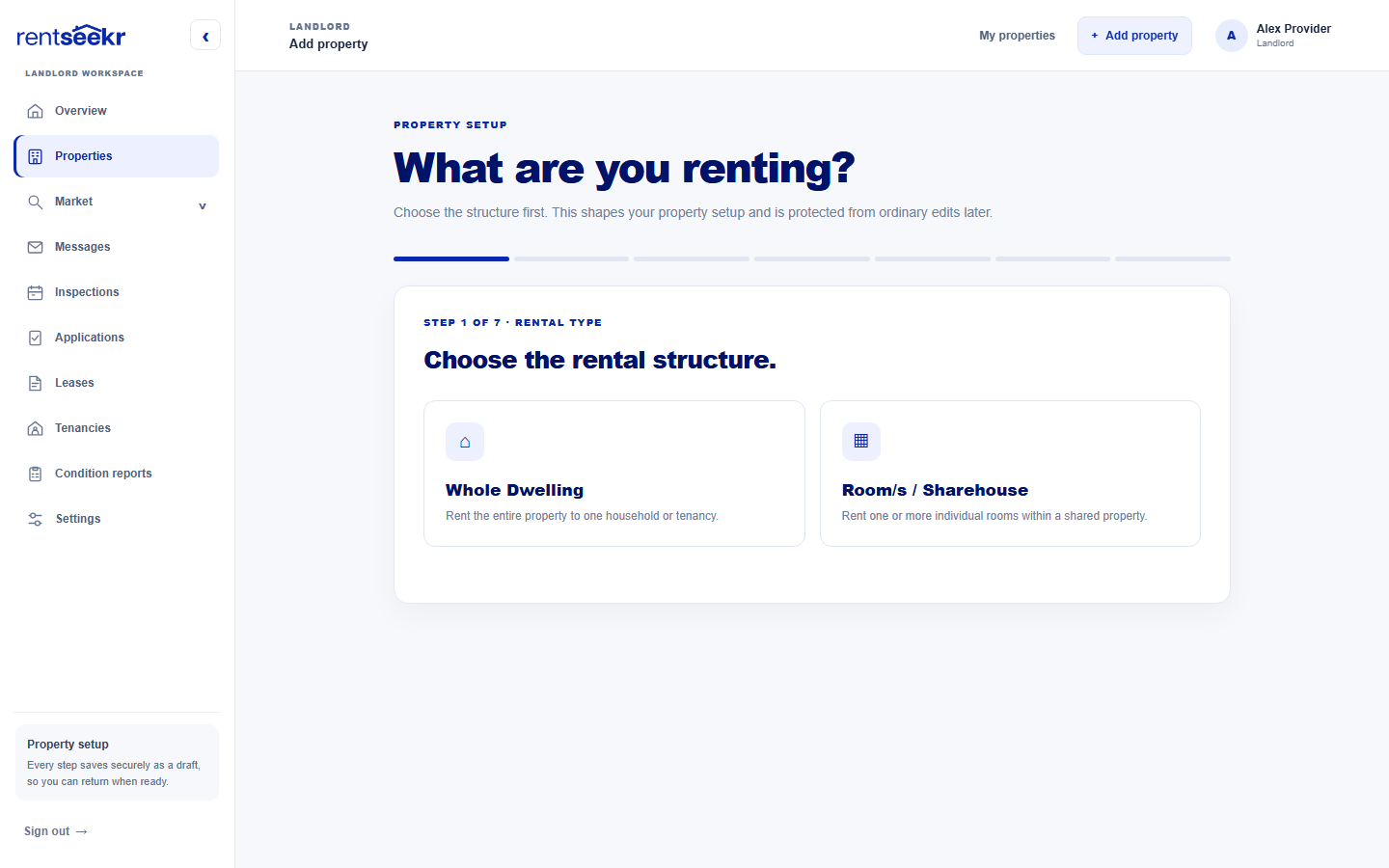
Choose Whole Dwelling or Room/s / Sharehouse before you add the details.
A rental listing is the visible edge of a much bigger record. RentSeekr starts by asking what is actually being offered: the entire home to one household, or one or more rooms within a shared property. That decision is not cosmetic. It sets the shape of the setup flow and keeps whole-property information from being mixed with room-level rental information.
- Whole Dwelling: one rental offering for the property.
- Room/s / Sharehouse: each room keeps its own offer, availability and room-only photos.
- The rental structure is protected from ordinary edits later, so the record stays coherent.
Verify the place, keep control of the address
A verified Australian location powers reliable search data without forcing a public street address.
Next, RentSeekr asks for a Google-verified Australian street address. The verified result supplies the locality, state or territory, postcode and coordinates that maps, geographic search and listing data rely on. You can save a manual draft if an address cannot be found, but a verified result is required before setup can continue.
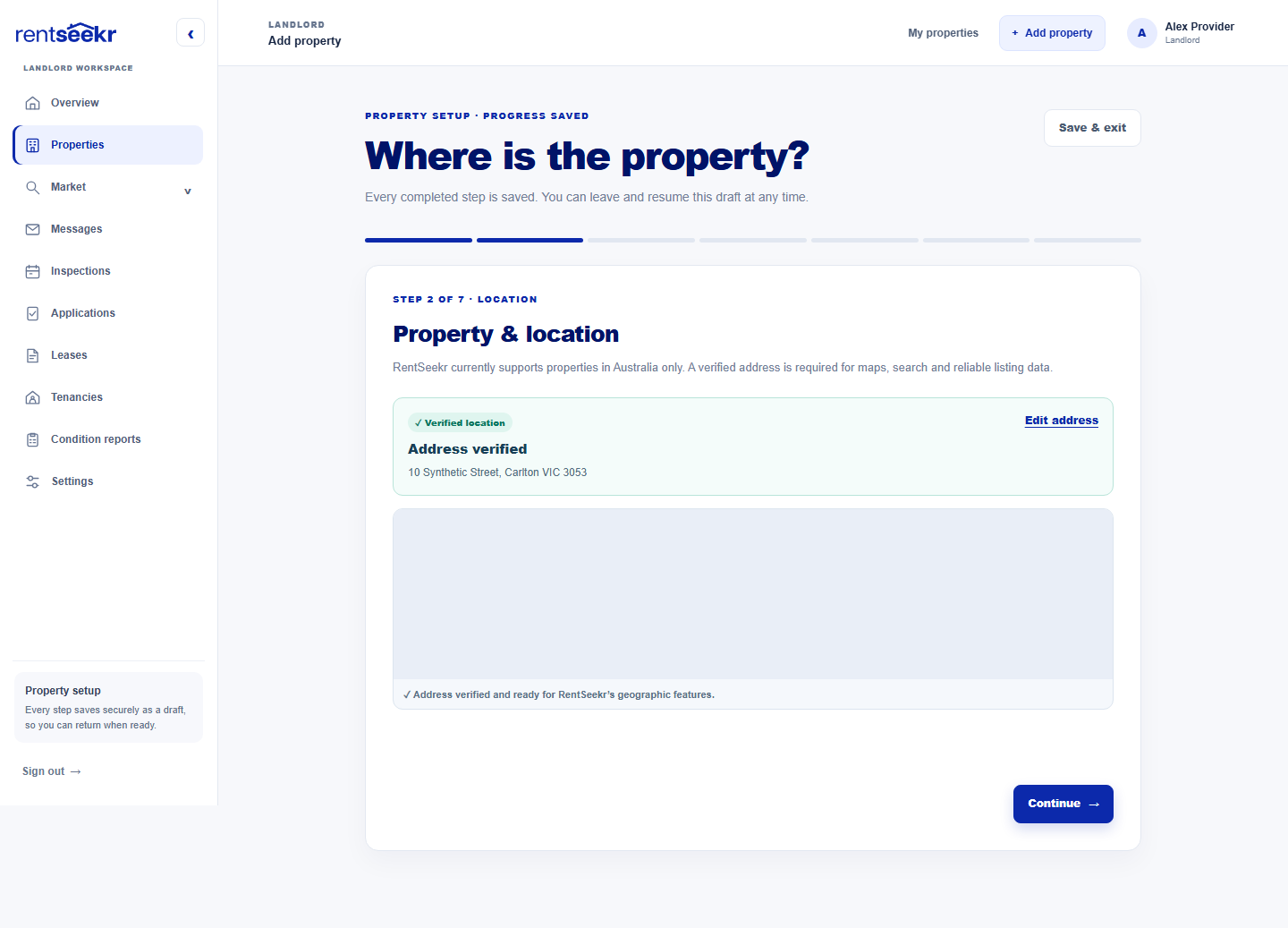
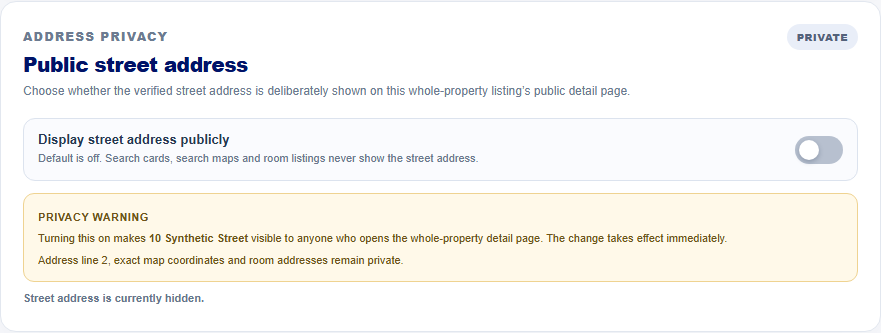
Verification and publication are different decisions. A whole-dwelling listing can later opt in to Display street address publicly from the full property editor. The default is off, and turning it on affects the whole-property detail page immediately. Search cards, search maps and room listings do not show the street address; address line 2, exact map coordinates and room addresses remain private. Room/s / Sharehouse properties have no public street-address switch—their room addresses stay private.
Turn facts into a useful first draft
Optional AI assistance can help you find the words while you remain the editor.
Once the place is verified, the details step turns the property into structured facts: property type, furnishing, bedrooms, bathrooms, parking, optional sizes and searchable amenities. That structure gives renters a faster read and gives later workflows something more reliable than a single block of free text.
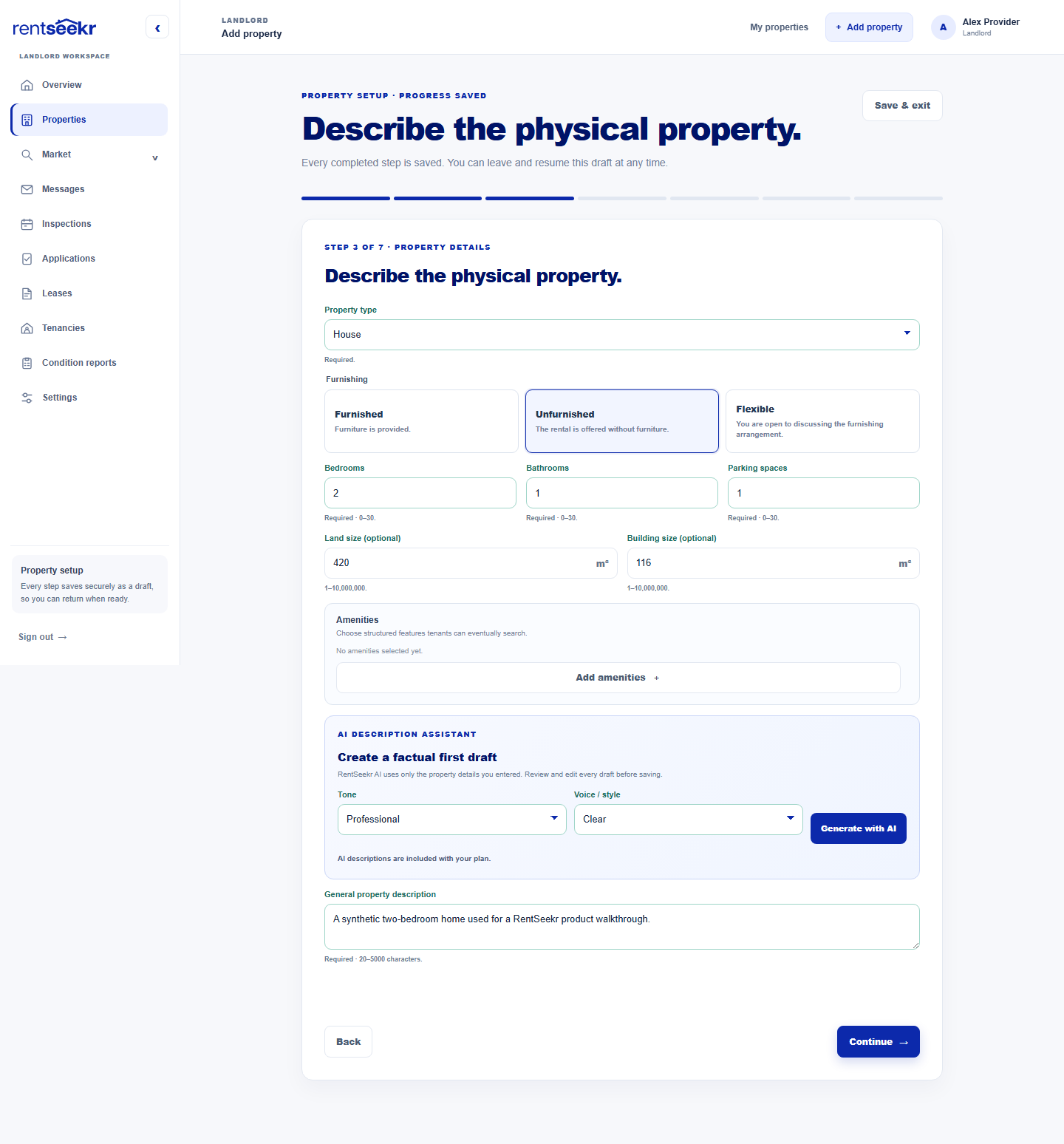
- Choose a tone and voice or style when AI access is available on your plan.
- Generate a draft from the property facts you entered. The assistant is available with Plus and Premium; you can always write your own description.
- Review and edit every word before saving or publishing. The draft is not a substitute for your judgement.
The verified state or territory travels with the property, so a move from Victoria to New South Wales or another supported Australian jurisdiction starts from the current location rather than an old assumption. But the assistant is deliberately not a state-by-state legal writer: it uses the supplied suburb, state, property facts and amenities, never invents features or distances, never includes the street address and does not generate legal terms or compliance guarantees. It creates a listing draft; the provider remains responsible for checking the final copy and any jurisdiction-specific obligations.
Keep rental details close to the offer
Whole homes and individual rooms carry the information that actually makes them rentable.
The rental offer is where the property becomes actionable. For a whole dwelling, RentSeekr keeps one offering with its title, description, weekly rent, bond, availability, minimum lease term, lease types, included utilities and optional listing expiry. For a room-based property, those same rental details live with each room. That separation makes it much harder to advertise the home accurately while accidentally attaching the wrong price or availability to a room.
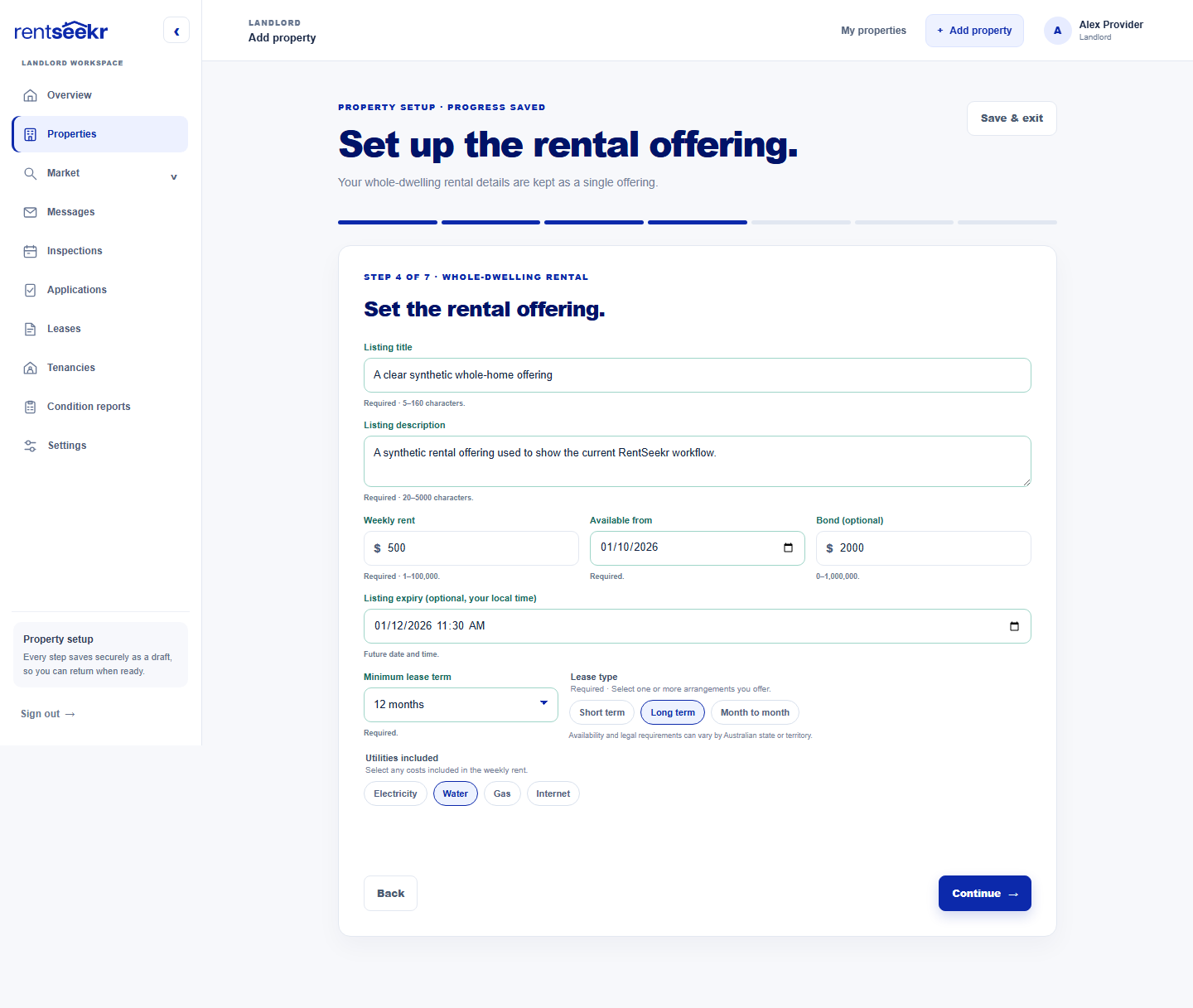
- Every offer has a clear title and rental description.
- Weekly rent and optional bond are recorded as separate values.
- Availability, minimum lease term and optional local-time expiry make timing visible.
- Lease types and included utilities describe what is actually on offer.
Make media a deliberate part of the record
Photos, floor plans and video visibility are choices—not loose files at the end of a listing.
Photos are part of the record, not decoration added after the fact. RentSeekr keeps property photos, room photos and floor plans in their right context, then gives you a separate “What renters can see” control for shared-home photos, floor plans and an optional public video tour.
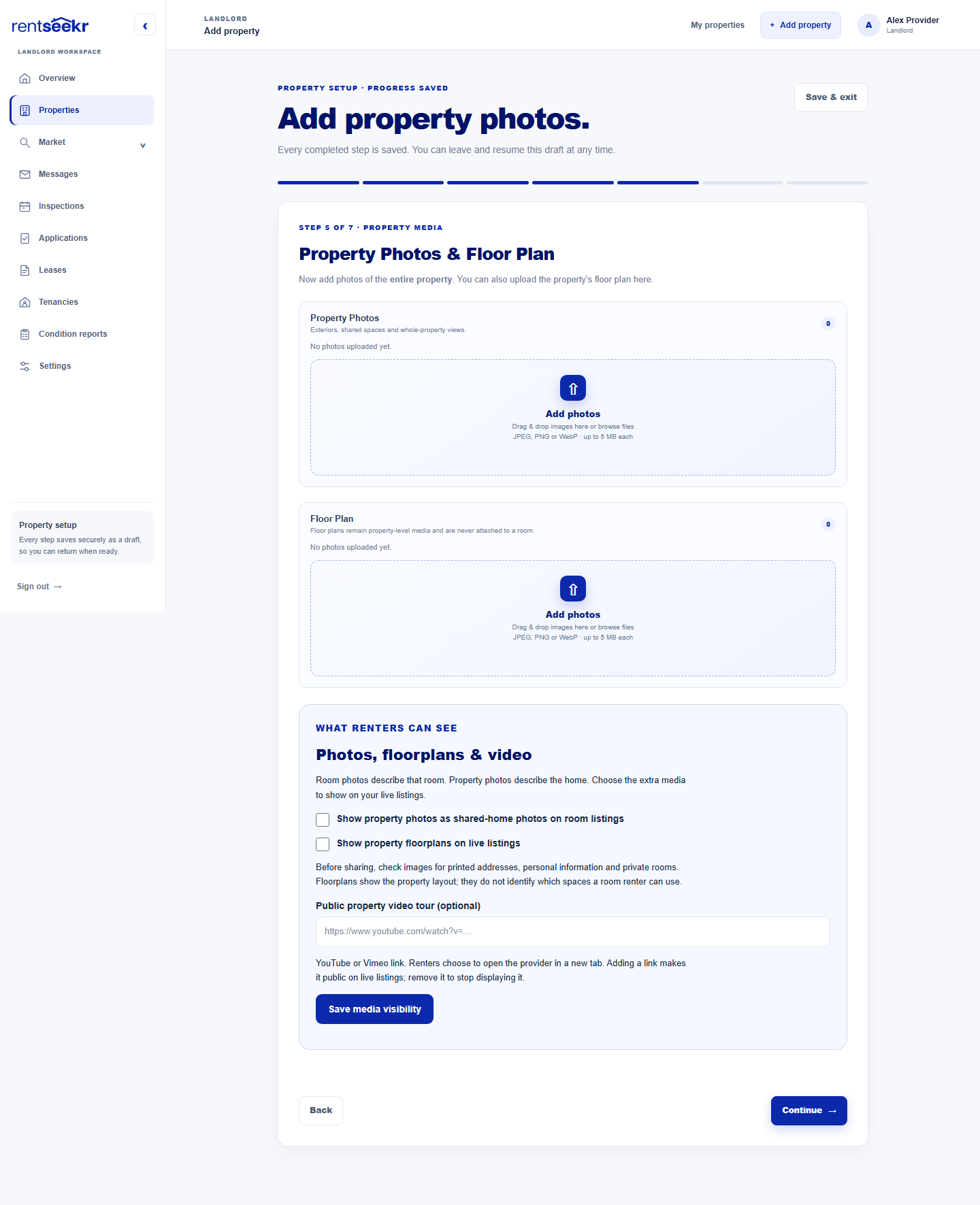
- The first property photo is the cover; the gallery can be reordered and described with alt text.
- Floor plans remain property-level media and are never attached to a room.
- Room photos describe the room; property photos describe the home. Shared-home photos on room listings are an explicit choice.
- Before sharing, check every frame for printed addresses, personal information and private rooms.
Review, complete, then publish deliberately
Finishing property setup is a clear milestone; publishing the live listing is a separate decision.
When the facts, offer and media are ready, the review screen brings the record back together: rental structure, verified property, furnishing, amenities, rental offering, photos and floor plans. Every completed step is saved, so you can leave and resume the draft. That small interaction is a big operational benefit: property setup can fit around the work of preparing a real home.
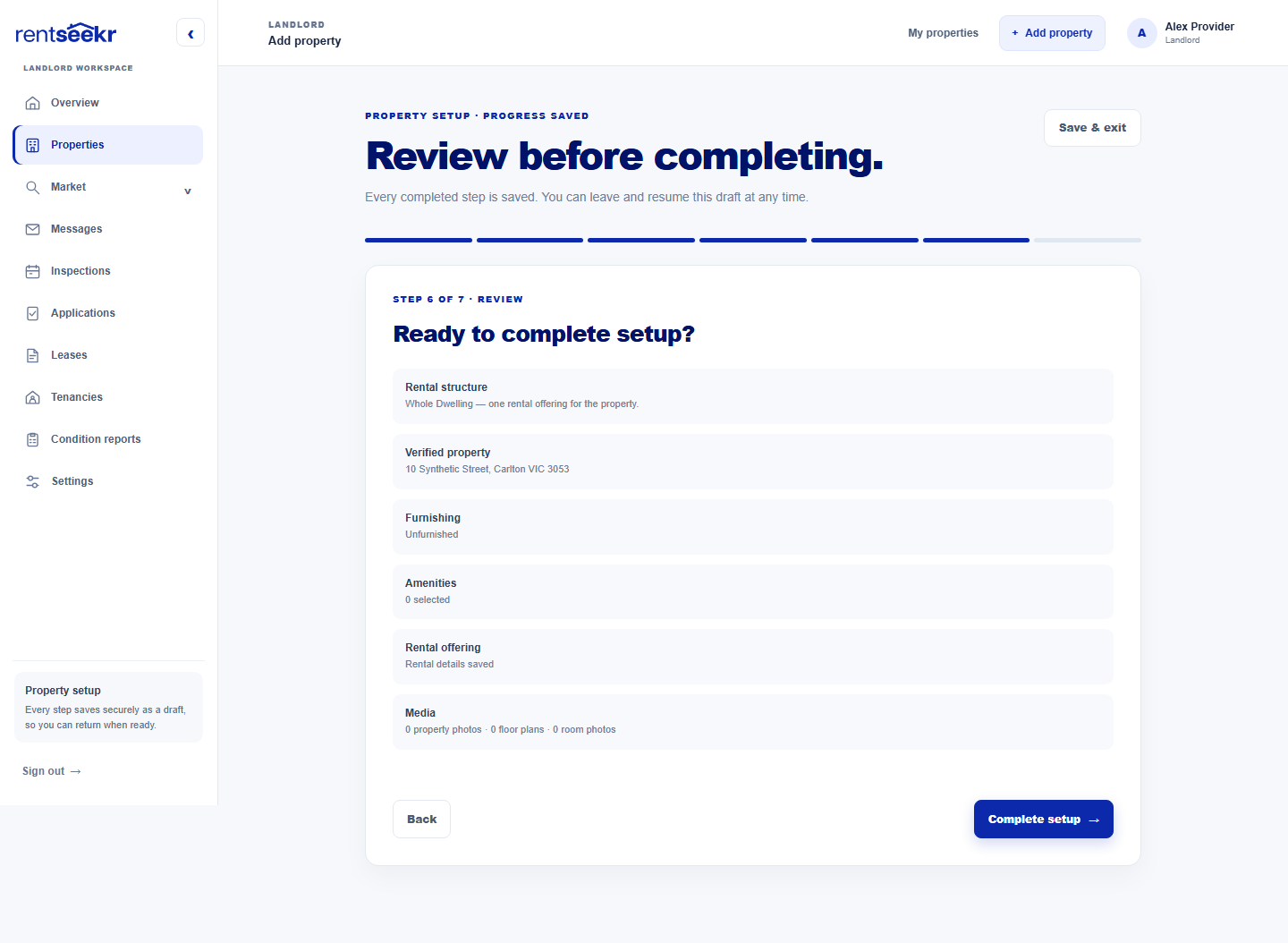
Completing the setup does not silently make a listing live. It marks the property ready and returns control to the property workspace, where the public listing can be published, paused or removed as a separate decision. That boundary is useful: providers can build a careful record, check privacy and presentation, then choose when the market should see it.
The payoff: clarity that compounds
A structured property record gives every later rental step a better starting point.
The practical benefit is compounding clarity. Start with the right rental structure and later conversations know whether they concern a home or a room. Verify the address once and maps and search can use dependable location data. Keep offers structured and price, timing and inclusions stay comparable. Keep media contextual and renters see a more honest version of the offer. Keep privacy explicit and the public page reveals only what the provider chose to show.
- One property record becomes the source for the listing, workspace and future rental steps.
- Structured steps make omissions easier to spot before publication.
- Address and media visibility are deliberate settings, not hidden assumptions.
- Saved progress makes it practical to create the record in stages.
Explore the landlord guide
RENTSEEKR CITY · LOCAL DISCOVERY
Looking for useful help in your area?
Choose a published City market and optional suburb or postcode to see active, approved services listed for that area. This article does not determine your location.
Choose a published City market; no location is inferred from this article.