
INSIDE RENTSEEKR · PRODUCT TOUR
One rental. Many moving parts.
A place for them to connect.
From the property details to the conversation about a repair. Explore the workspace that keeps your people, paperwork and next steps in context.
Public accounts remain closed during launch preparation. This is the implemented RentSeekr product, shown with fictional example records. The tenancy workflow shown covers supported Victorian whole-property agreements.
YOUR WORKSPACE. YOUR APPEARANCE.
Bright days. Dark mode.
The same clear picture.
Explore actual application, messaging, condition report and lease screens. Choose Light or Dark for each view; this changes only the screenshot. Public tools cover Australia; operational agreement workflows remain limited to supported Victorian whole-property rentals.
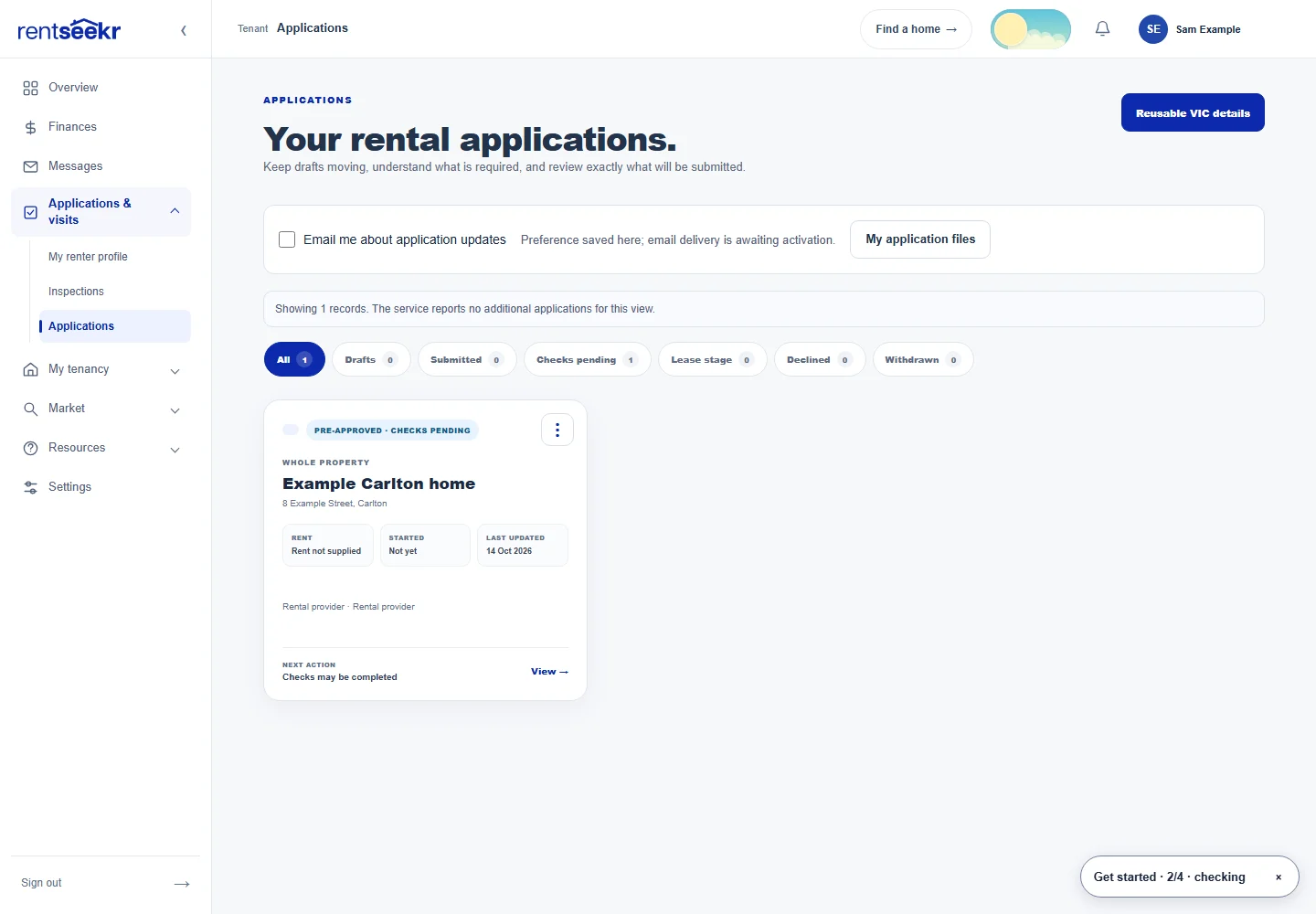
01 / Property
Start with the property. Keep the context.
Add the home once, then build the rental offer around it.
A property workspace and listing that give the next steps a shared starting point.
See the steps and your responsibilities
- Create the property record with its address, property type, rooms and features.
- Add photos, a description, rent and availability to the rental offer.
- Review the listing before publishing it for renters to discover.
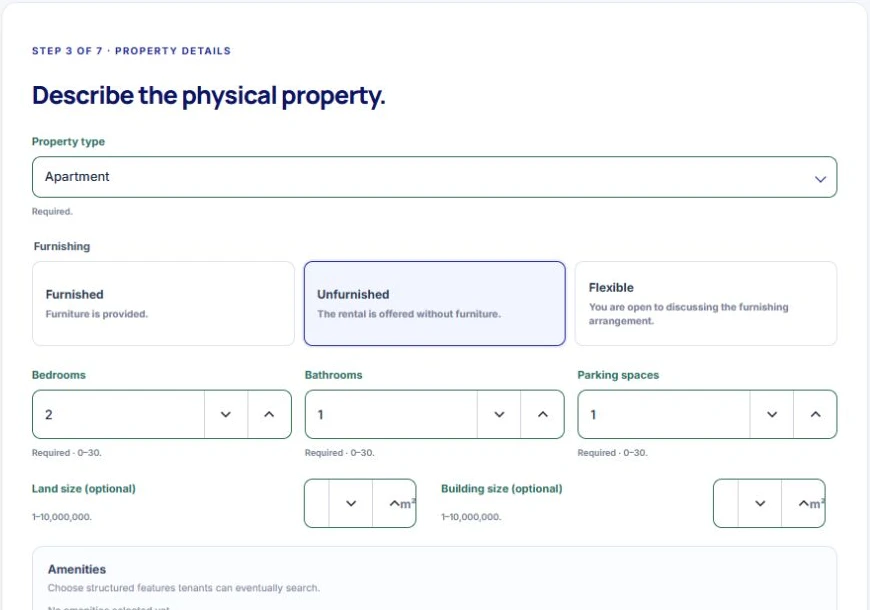
02 / Find a renter
Turn interest into an informed decision.
Bring enquiries, viewing arrangements and applications back to the rental you are offering.
A clearer handover from finding a renter to preparing their agreement.
See the steps and your responsibilities
- Respond to prospective renters in conversations.
- Create inspection times and manage responses.
- Review the applications attached to the offer, then progress your chosen applicant towards lease preparation.
03 / Lease
Prepare. Review. Invite. Sign.
The lease workspace carries the agreement through a defined review and signing process.
An executed eligible Victorian whole-property lease can create the connected tenancy record.
See the steps and your responsibilities
- Prepare the supported Victorian agreement with the parties, rent, dates, terms and relevant attachments.
- Review the generated document and resolve missing information before progressing.
- Invite the renter to the agreement workflow, complete the required review and signatures, and retain the completed documents.
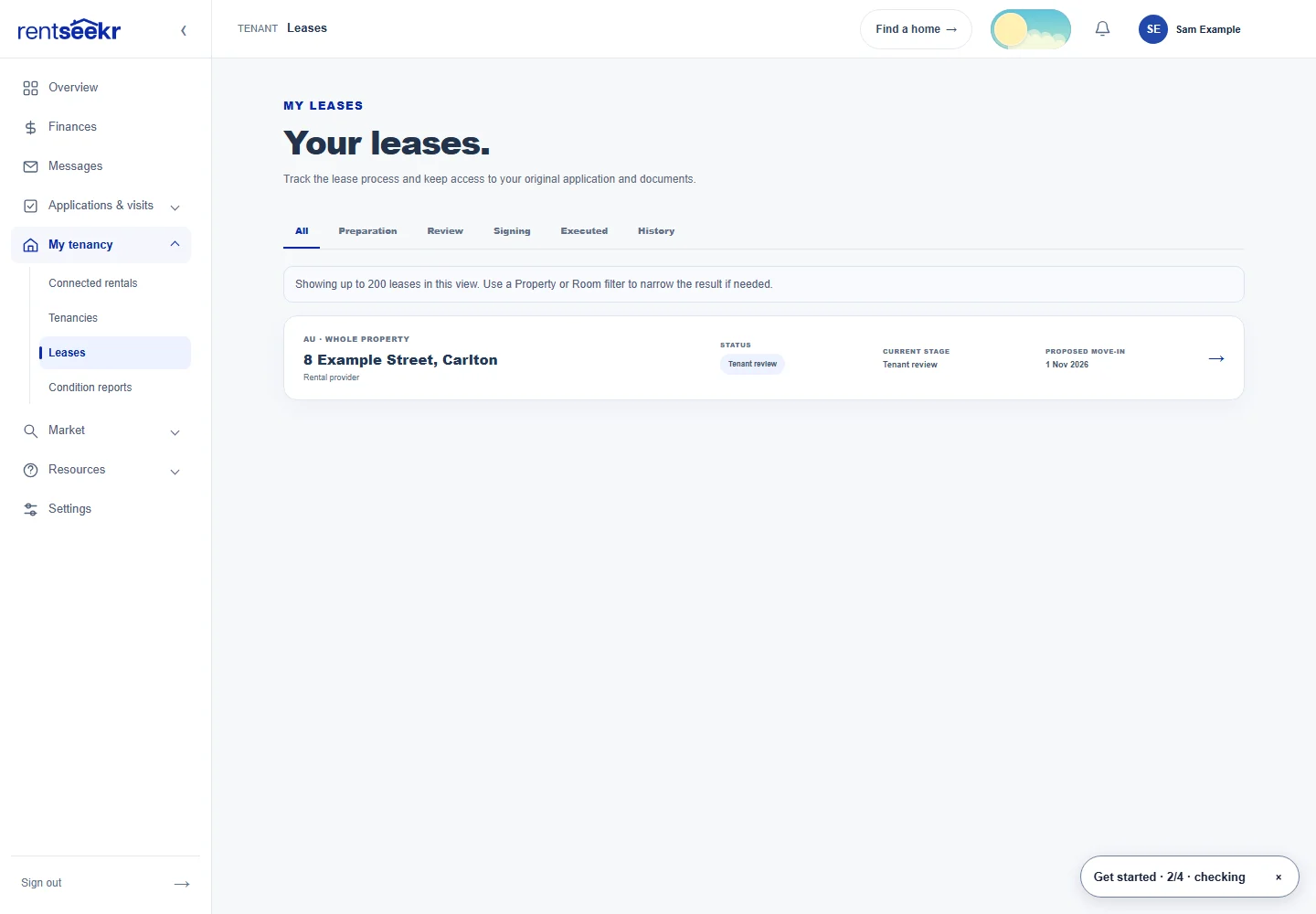
04 / Condition report
Record the condition. Include both perspectives.
An entry report should show what was there, not just whether someone clicked “done”.
Provider observations and renter responses stay connected to the entry record.
See the steps and your responsibilities
- Assess the property item by item, with condition selections, comments and photographs.
- Complete the provider assessment and send it to the renter for review.
- The renter records agreement or differences, adds their response and completes their signature. Keep the final report and evidence together.
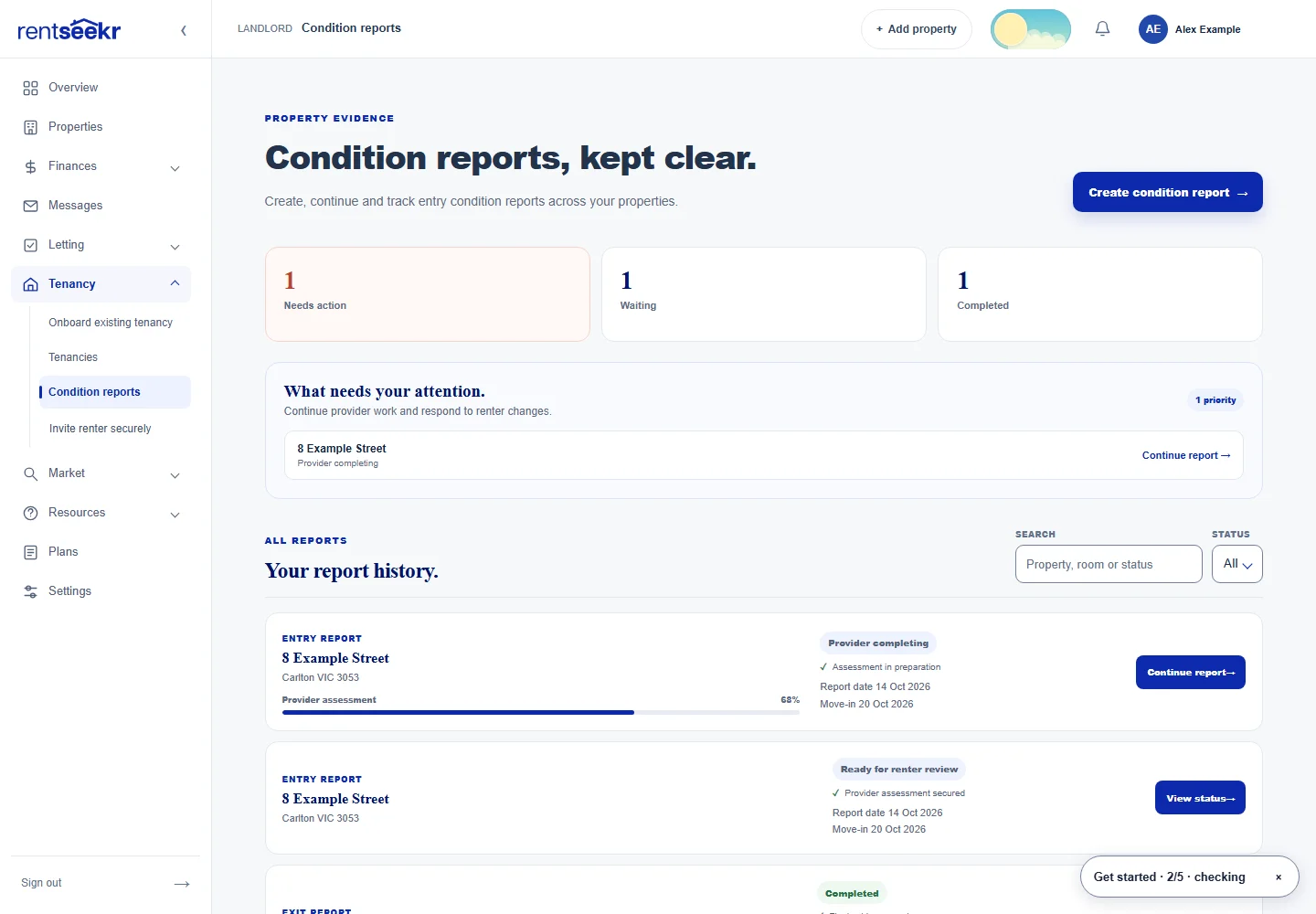
05 / Move in
Give the tenancy a place of its own.
Once an eligible agreement is executed, move from lease preparation to tenancy readiness.
A tenancy workspace for readiness, handover and connected records.
See the steps and your responsibilities
- Open the tenancy to review its participants, terms and linked agreement.
- Work through the available handover items and record completion notes.
- Use the linked documents, condition report and conversation to keep the move-in context accessible.
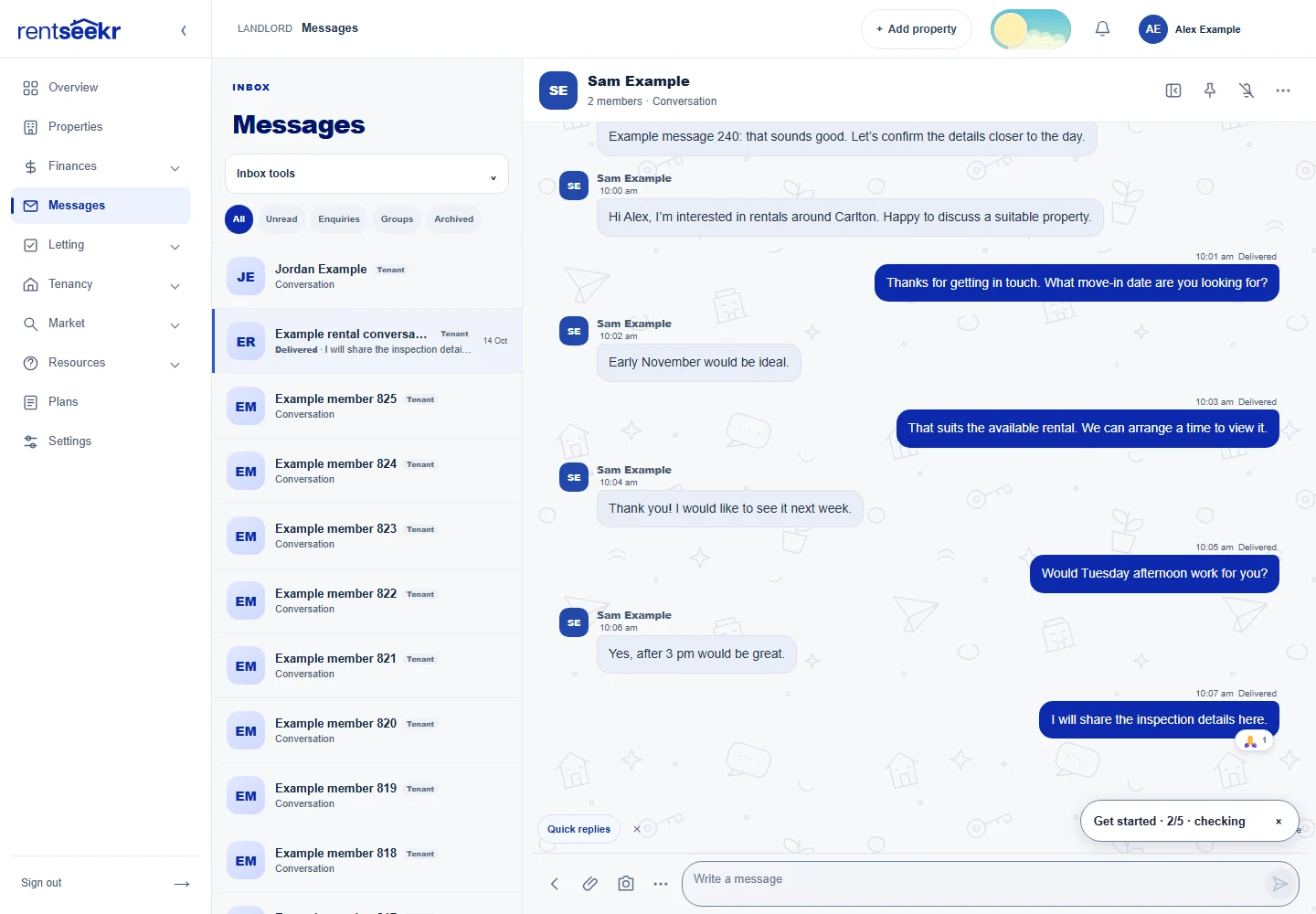
06 / Messages
Keep the conversation with the tenancy.
Less searching through unrelated email threads when you need the history.
An accessible communication history alongside the tenancy records.
See the steps and your responsibilities
- Open the relevant conversation to discuss the rental.
- Keep questions, updates and replies in their conversation context.
- Return to the linked conversation from the tenancy workspace when you need to follow up.
07 / Maintenance
Take a repair from “reported” to tracked.
Renters and providers can keep the reported problem and its progress in the tenancy workspace.
A repair history with the reported issue, progress and renter responses.
See the steps and your responsibilities
- The renter submits repair details, or the provider records the reported issue.
- Assess urgency, record contractor and access arrangements, and update the repair as work progresses.
- Capture renter responses and supporting records, with conversations for clarification.
08 / Rent & records
Know what is recorded—and what you handle.
The tenancy connects people, terms, events and documents without pretending to be every service involved.
A connected reference point for the agreement and supporting tenancy information.
See the steps and your responsibilities
- Track scheduled rent charges, upcoming amounts and manually recorded payments.
- Record payment allocations and corrections with supporting notes; access linked lease and condition-report documents.
- Use renewal or periodic-agreement workflows for the next arrangement, and retain the required rent and bond documentation.
09 / Moving out
Close the tenancy with the right evidence.
The records you build at the start matter again when the renter leaves.
An organised ending record with evidence, responses and the outcome you recorded.
See the steps and your responsibilities
- Start the relevant ending workflow and record the facts, notice documents and service evidence.
- Arrange the final inspection, compare entry evidence and keep the supplementary exit record and renter responses.
- Record reviewed ending outcomes and keep documents for the official bond process or an unresolved matter.
THE NUMBERS ALONGSIDE THE RENTAL
Property finances, with your assumptions visible.
Preview recorded expenses, recurring bills, dated forecasts and annual records for your accountant. Entered property and finance figures help you explore scenarios; they are not bank-verified balances or financial advice.
Explore the property finances preview →ALREADY RENTED?
Prepare the handover before changing management.
The existing-rental pilot preview organises a proposed handover and its supporting records. Preparation does not terminate an agency agreement, activate management, transfer money or replace the required approvals.
Explore the handover preview →LOCAL RESPONSIBILITIES STAY IN VIEW
Built around the place you rent.
Agreements, condition reports, repairs and moving out have local requirements. Read the detailed Victorian whole-property workflow alongside the product tour.
Read the Victoria guide →A FEW THINGS TO KNOW
The detail behind the preview.
Does RentSeekr collect rent or lodge my bond?
The workspace records scheduled charges and manually entered payments. It does not collect or independently verify payments or lodge the bond for you. Use the relevant official bond process.
Which rental arrangements does this tour cover?
The operational agreement and tenancy workflow shown here covers supported Victorian whole-property agreements. Room advertising is separate and does not imply room-level tenancy management.
Can renters sign without creating an account?
Where secure guest access is enabled, an invited renter verifies their email with a code to access the specific signing task. Availability is controlled separately; a link alone does not grant access.
Can I use the workspace now?
Public accounts remain closed during launch preparation. These are current interface previews with fictional records. Public tools and the discovery demo are available to explore.
YOUR RENTAL, IN CONTEXT
See where RentSeekr could fit.
Tell us about your property and the work you want to organise.
Product images updated 17 October 2026. Screenshots use fictional records. General information, not legal or financial advice or a guarantee of compliance. Check current official guidance for your circumstances.